CloudService API gateway
The same prepaid, OpenAI- and Claude-compatible routes an agent we build can call directly.
See the API gatewayWe design, build, and evaluate AI agents — the reasoning, tool integration, and evaluation work that turn a model into something that can understand a task, decide what to do, and act on it, not just talk about it.
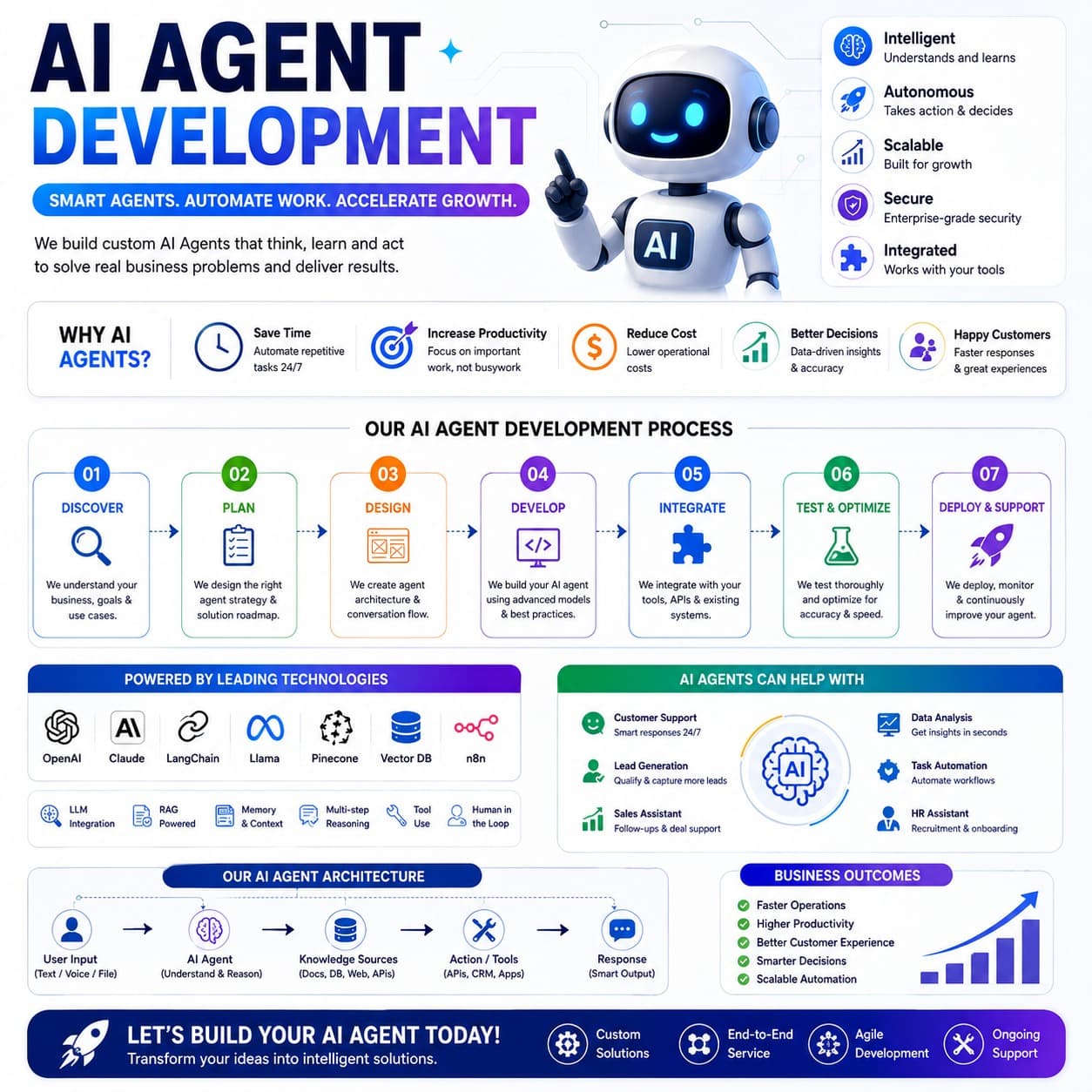
Input comes in as text, voice, or a file. The agent at the centre understands and reasons over it, drawing on knowledge — documents, a database, the web, an API — and acting through the tools it has access to, from APIs to CRM to the apps your team already uses. An evaluation loop checks the result before a response goes out, all running inside an environment you control.
Save time
Automates repetitive work around the clock, not just during business hours.
Increase productivity
Frees the team to focus on the work that needs judgement, not the busywork around it.
Reduce cost
Lowers the operational cost of work that used to be done by hand, one ticket or task at a time.
Better decisions
Grounds decisions in data pulled and summarized on demand, instead of a gut call.
Happier customers
Faster responses, because the first answer doesn't have to wait for a person to be free.
The outcomes teams report back are consistent: faster operations, higher productivity, better customer experience, smarter decisions, and automation that scales with the business rather than being rebuilt for it.
Understand the business, the goals behind the request, and the concrete use cases an agent needs to cover.
Turn that understanding into an agent strategy and a roadmap for how the solution gets built.
Design the agent's architecture and how a conversation or task actually flows from start to finish.
Build against current models and established practice, not a one-off experiment.
Connect the agent to the tools, APIs, and systems it needs to read from and act on.
Check accuracy and speed against scenarios drawn from your real use case, and tune before anything reaches production.
Ship the agent into the environment it needs to run in, monitor how it behaves, and keep improving it from there.
Read as a cycle rather than a straight line: deploy and support is not the last step. What we see in production feeds monitoring, and monitoring feeds the next round of discovery and build work.
General patterns we build against. The concrete shape of a project — which tools, which systems, which model — depends on your task and is worked out during scoping.
| Use case | What it typically involves |
|---|---|
| Customer support | Answering routine questions, resolving common issues, and knowing when to hand a conversation to a person. |
| Lead generation | Qualifying inbound interest and following up, so a rep isn't the first response to every inquiry. |
| Sales assistance | Drafting outreach, prepping account context, and handling the repetitive parts of a sales workflow. |
| Data analysis | Pulling structured signal out of reports, tickets, or logs and surfacing what actually needs attention. |
| Task automation | Carrying out a defined multi-step process against internal tools or APIs, instead of answering a single prompt. |
| HR & recruitment support | Screening applications, scheduling, and handling first-pass candidate questions. |
Every agent needs a way to call a model. Agents we build can route through CloudService's own OpenAI-compatible and Claude-compatible API gateway, or through provider keys you already hold — the integration path is a project decision, not a lock-in.
We build with the current generation of tools for the job: OpenAI and Claude models, LangChain and Llama where they fit, Pinecone and other vector databases for retrieval, and orchestration platforms like n8n for wiring steps together. The specific stack is chosen per project, matched to the task.
LLM integration · RAG · memory & context · multi-step reasoning · tool use · human in the loop
The same prepaid, OpenAI- and Claude-compatible routes an agent we build can call directly.
See the API gatewayAuthentication, base URLs, models, and request formats an integrating agent depends on.
Read the documentationEvery engagement starts with a scoping conversation about the task, the systems involved, and what success looks like. Reach out through support to start one.
Reach CloudService directly, or raise a ticket if you’d rather keep a written record.